
SOLIDWORKS PDM: Smart data management
Optimize the storage, organization and sharing of your data with SOLIDWORKS PDM. Quickly find files, manage versions and automate workflows, all in a secure and centralized system. Integrated with Windows Explorer, it facilitates team collaboration and ensures total control over your projects.
Centralized management and quick access to files
With SOLIDWORKS PDM, all your data is stored in a secure and centralized vault, allowing you to manage CAD files, documents, emails and images in a single accessible space. Every change is updated automatically, preventing overwriting errors or data loss. Thanks to the advanced search tools integrated into Windows Explorer, you can quickly find files by name, date or metadata, reducing work times and improving efficiency.
Revision control and real-time collaboration
Avoid conflicts and always maintain control over changes thanks to the check-out and file lock function, which prevents unauthorized simultaneous changes. Receive real-time notifications whenever a file is updated, ensuring smooth and error-free collaboration. Sharing and reviewing projects between company departments becomes easier, improving the workflow and accelerating the decision-making process.
A single platform for efficient data management
Thanks to seamless integration with PDM/PLM, SOLIDWORKS PDM simplifies data organization and management, optimizing coding processes and reducing the risk of errors. Store and manage all design data in a single secure platform, improving the product development cycle and ensuring that every team always works on the most up-to-date version of the files.
Accessibility and scalability for the future
Easily connect design to data management, ensuring accessibility anywhere, anytime. Whether you are working in the office or remotely, you will always have total control over your projects. SOLIDWORKS PDM is designed to grow with your company, offering a scalable solution that adapts to the needs of teams of any size.
Compare SOLIDWORKS PDM packages
SOLIDWORKS PDM Standard
SOLIDWORKS PDM Standard is the perfect choice for small, single-site companies that want simple, secure and highly efficient CAD data management. With an intuitive interface and advanced features, this solution allows you to optimize daily processes, improve team collaboration and maintain full control over all versions of your projects
Among the main features, you will find:
-
Automatic change tracking: Keep track of all data changes in real time, viewing previous versions directly in the Task Pane for easy access to revisions.
-
Custom notifications: Keep team members informed on the status of ongoing changes, clearly indicating the actions needed to continue work smoothly.
-
Automatic PDF creation: Automatically convert SOLIDWORKS drawings into PDFs during the workflow, for even more streamlined and organized document management.
-
Dynamic file preview: Thanks to eDrawings integration, you can instantly preview your CAD files without having to open them, making data management even faster and more efficient.
SOLIDWORKS PDM Standard not only offers efficient data management, but is also designed to grow with you. If your business needs evolve, you can easily upgrade to SOLIDWORKS PDM Professional, maintaining business continuity without facing a complex migration.
A scalable, intuitive and powerful solution, perfect for small companies that want to optimize data management and prepare for future growth without stress.
SOLIDWORKS PDM Professional
SOLIDWORKS PDM Professional is the ideal solution for distributed teams that require advanced and secure CAD data management, both locally and remotely. Designed to optimize collaboration and workflow, it offers all the features of SOLIDWORKS PDM Standard, with powerful additions that meet the needs of more complex teams.
The main features include:
-
Remote access: Allows you to access data from any device and from anywhere via a simple web browser, facilitating collaboration between internal and external teams.
-
Automated email notifications: Configure alerts to automatically notify users whenever files or folders are updated, ensuring everyone is always aligned on changes.
-
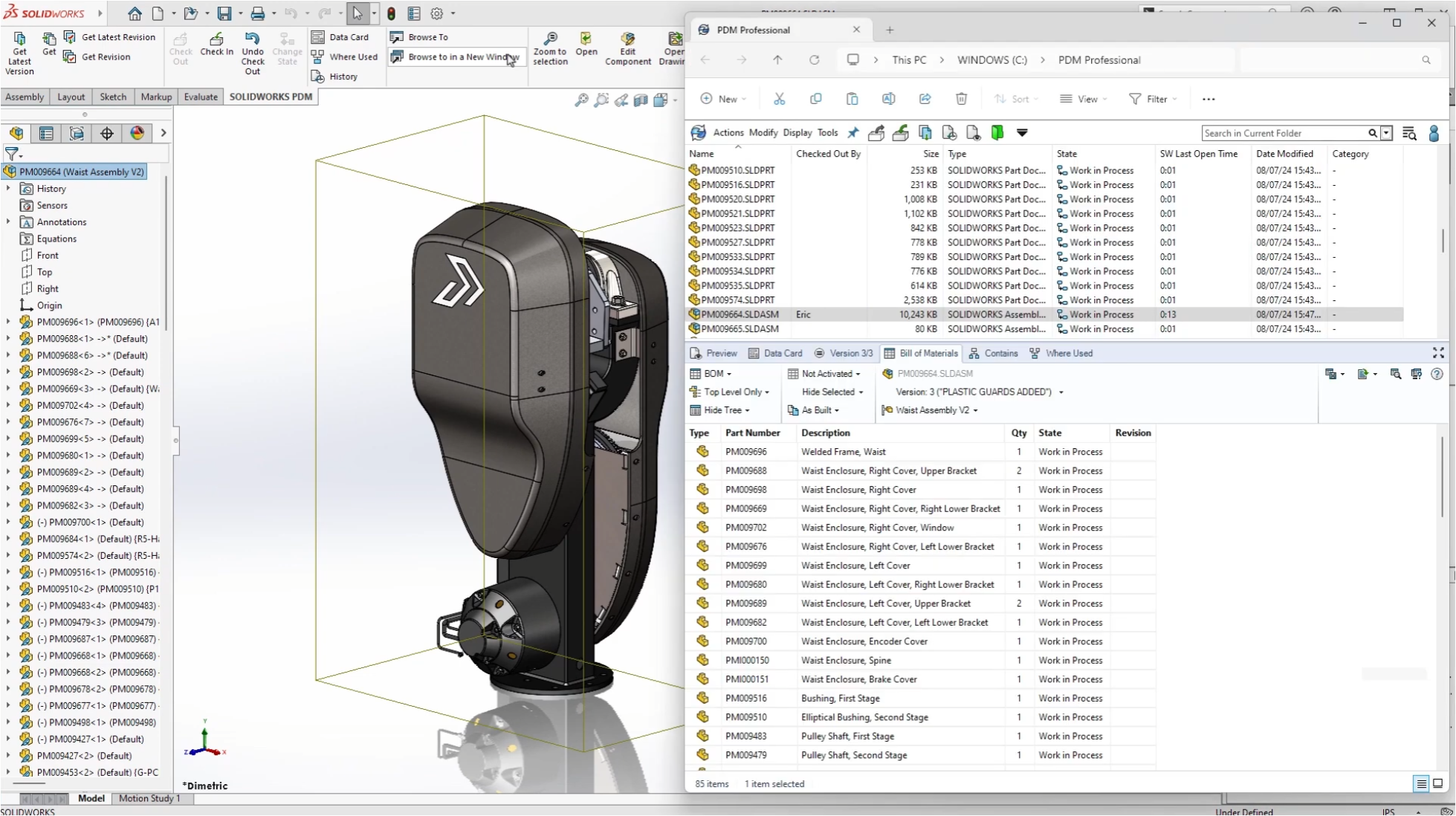
Bill of Materials (BOM) support: Manage and leverage bill of materials information to improve the efficiency of downstream activities, such as production and procurement.
-
Multi-CAD support: Easily integrate and manage data from third-party CAD tools, allowing centralized management of design files, even if they come from different software.
SOLIDWORKS PDM Professional is the only solution that allows you to securely and efficiently manage and synchronize the design data of the whole team, both during development and production. Thanks to its tight integration with SOLIDWORKS applications, it offers complete data protection through monitoring and version control, avoiding data loss and conflict issues.
Furthermore, with a fully customizable configuration, SOLIDWORKS PDM Professional eliminates the difficulties associated with version management and facilitates collaboration on complex projects across multiple locations.
Perfect for companies of all sizes, SOLIDWORKS PDM Professional helps you stay organized, secure and able to tackle any design challenge, optimizing the workflow from design to production.
SOLIDWORKS PDM Standard

Revision control
Basic approval workflow
Secure access
Find and reuse design data
Integrated eDrawings® preview
SOLIDWORKS PDM Professional
SOLIDWORKS PDM Professional features
Automatic neutral file creation
Automated data import and export
Serial number generators
Email notifications
Automated approval workflow
Advanced search and favorites
Multi-document preview

We are ready. Are you?
Let’s create innovation together.
Request a free consultation for your company
"*" indicates required fields